
Get your company’s D-U-N-S number
A D-U-N-S number is a free nine-digit company ID from Dun & Bradstreet. Apple and Google use it to check that your business is a real company before they let it publish apps. It has the longest wait of any app set-up task, so start it first.
- Who
- A company director
- Your time
- About 15 minutes
- Waiting time
- Up to 7 working days
- Cost
- Free
- Start
- As soon as you know you’ll publish an app
Why this matters
Without a D-U-N-S number your company can’t join the Apple Developer Program as an organisation. Without that, your developer can’t put your app on test iPhones or, later, in the App Store. Apple’s own help says to allow up to 5 working days for Dun & Bradstreet to issue the number, then up to 2 more for Apple to receive it. It may take longer if D&B needs to check anything with you.
Many UK companies already have a number without knowing it, so the first step is a quick look-up.
Have these ready
- Your company’s exact legal name, as shown at Companies House (for example “EXAMPLE TRADING LTD”, not the brand name)
- The registered office address and, if different, the address where post reaches you
- Your work email and phone number
- Your company’s certificate of incorporation to hand, in case D&B asks for proof
- An Apple Account with two-factor authentication. Apple’s look-up tool may ask you to sign in
Step by step
Check your company’s legal details at Companies House
Search for your company on the Companies House register and note the name and registered office exactly as written there, including “LTD” or “LIMITED”. Apple and D&B match on these details letter for letter.
find-and-update.company-information.service.gov.uk›Search for your company›Company overviewTipUse the registered company name even if your company trades under a different name. Apple doesn’t accept trading names.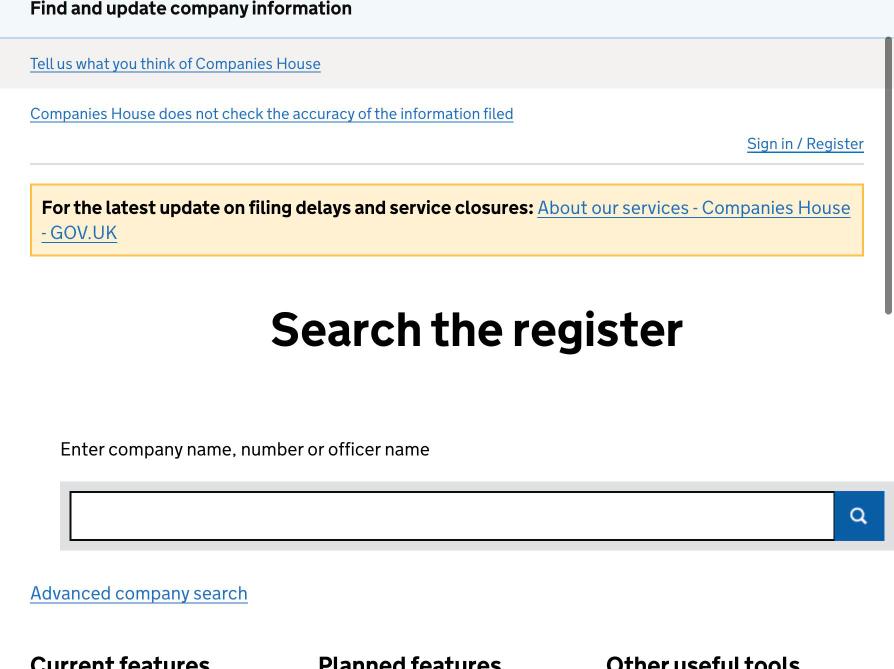
Companies House search. Copy the exact registered name, number and address. Open Apple’s free D-U-N-S look-up
Go to developer.apple.com/enroll/duns-lookup. This is Apple’s own route to Dun & Bradstreet, and it’s free. You don’t need to buy anything from D&B’s website.
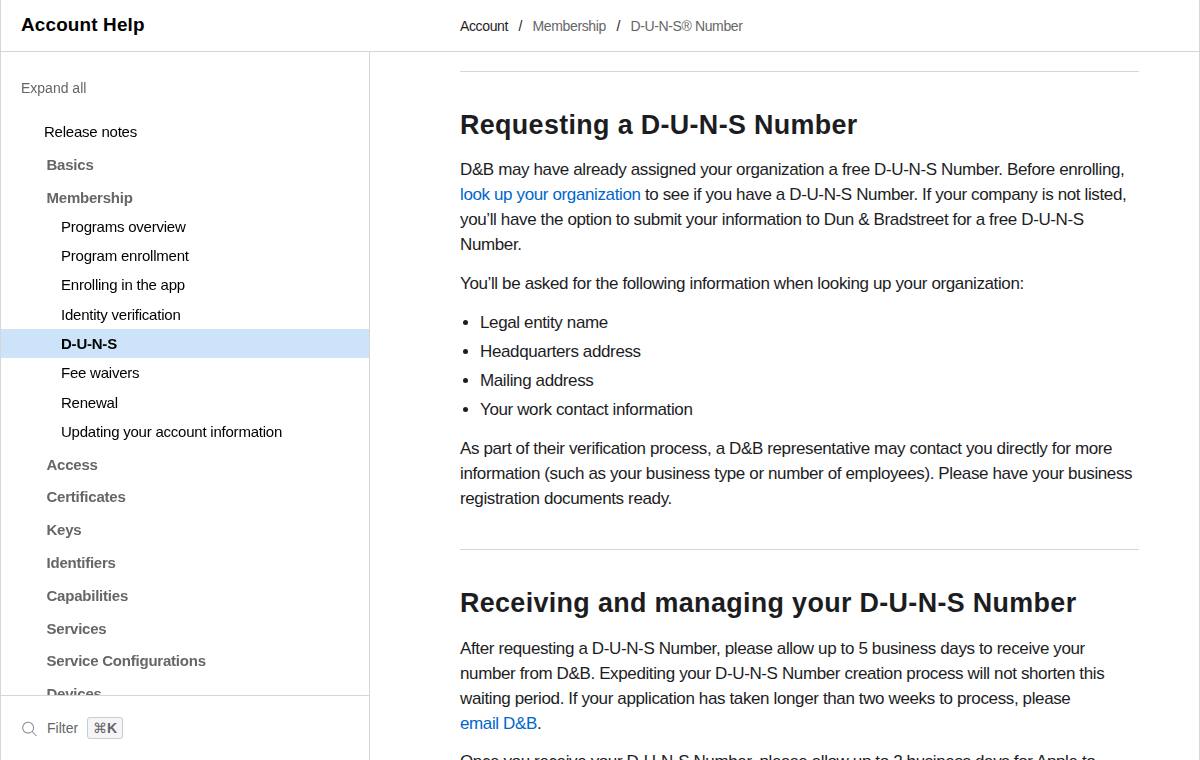
Apple’s help page on requesting a D-U-N-S number. The “look up your organization” link opens the tool. Enter your company’s details
- Legal entity name
- Exactly as at Companies House
- Headquarters address
- The registered office
- Mailing address
- Where post reaches you
- Your contact details
- Your name, work email and phone
Submit the look-up.
If your company is found, check the match
If the tool shows your company with a nine-digit number, check that the name and address match Companies House. If they do, you’re finished: note the number and skip to “When you’re done” below.
Watch outIf the name, address or company type is wrong (for example it says “sole proprietorship”), Apple will reject the enrolment. Ask D&B to correct it through Apple’s D&B support link, support.dnb.com/?CUST=APPLEDEV, with your certificate of incorporation. Corrections take up to 2 working days to reach Apple.If your company isn’t found, request a number
The tool offers to send your company’s details to Dun & Bradstreet for a free D-U-N-S number. Check the details and submit.
D&B may phone or email to confirm things like company type or number of employees. Reply quickly, because the clock pauses while they wait for you.
Watch outApple says paying to speed this up does not shorten the wait. Ignore any offers of paid “expedited” D-U-N-S services.Wait for the number, then allow Apple two days
D&B emails the number, usually within 5 working days. Apple then needs up to 2 working days to receive it before the Apple Developer enrolment will accept it.
TipIf nothing arrives after two weeks, email D&B using the Apple link in step 4 and include the date you applied.
When you're done, send your developer
- The nine-digit D-U-N-S number (it isn’t secret)
- The date you received it, so they know when Apple will have it
- Then start the Apple Developer Program guide
If something goes wrong
- The look-up says your company has a different legal status
- Use the exact legal entity name. If it’s still wrong, email D&B through the Apple link with your company’s registration documents.
- I got a number but Apple says it can’t find it
- Apple can take up to 2 working days to receive new or updated numbers from D&B. Wait, then try again.
- It’s been more than two weeks
- Email D&B through support.dnb.com/?CUST=APPLEDEV and tell your developer, because it moves the app dates.
Steps checked against the providers’ public help pages on 30 September 2026. Screens change from time to time; if what you see looks different, the same steps usually still apply. Your ticks are saved in this browser only.
Sources: Apple: D-U-N-S Number · Apple: D-U-N-S look-up · Companies House
Need a hand?
JR Cov builds web and mobile apps for businesses of all sizes. If you’d rather not do this yourself, we can help set it up with you, always in your company’s name. Tell us what you’re planning.